Plan Your Round With the Forecast for Your Tee Time
A plan made on a calm evening at home doesn't help much if you tee off into a 15 mph wind. Tell ShotIQ when you're playing and it plans the round in the forecast for that day and time. The caddie's numbers change with it, hole by hole.
On this page
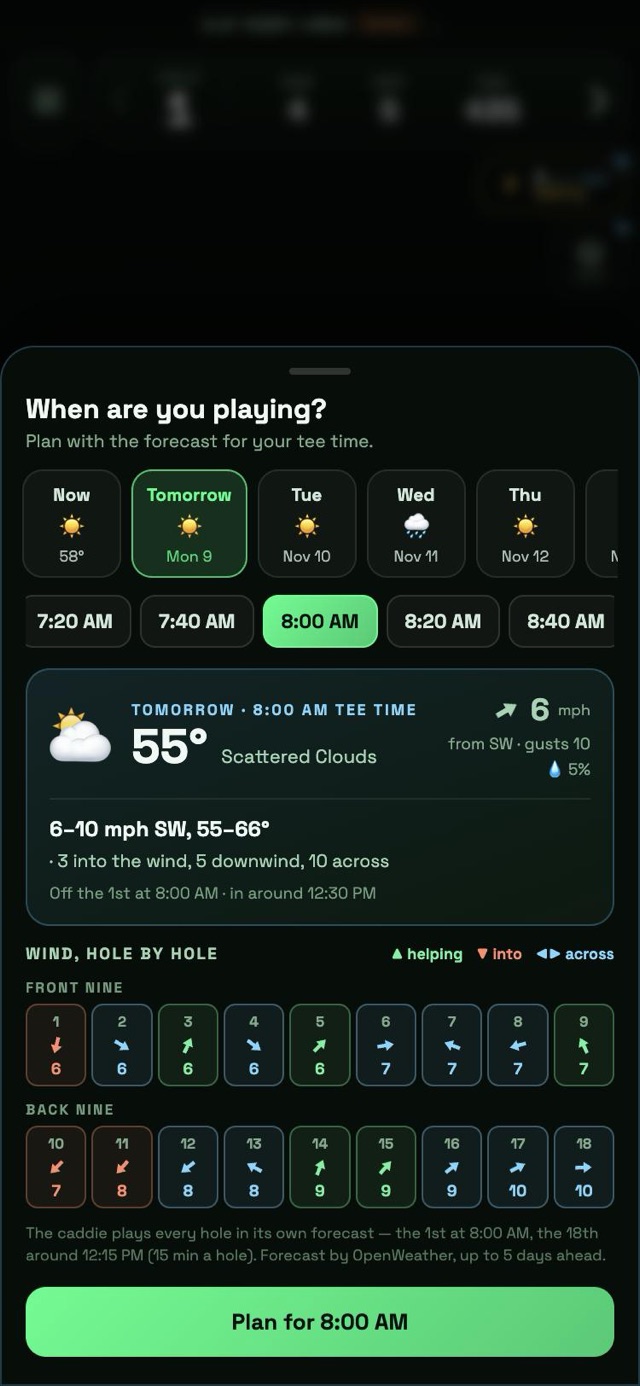
Setting your tee time
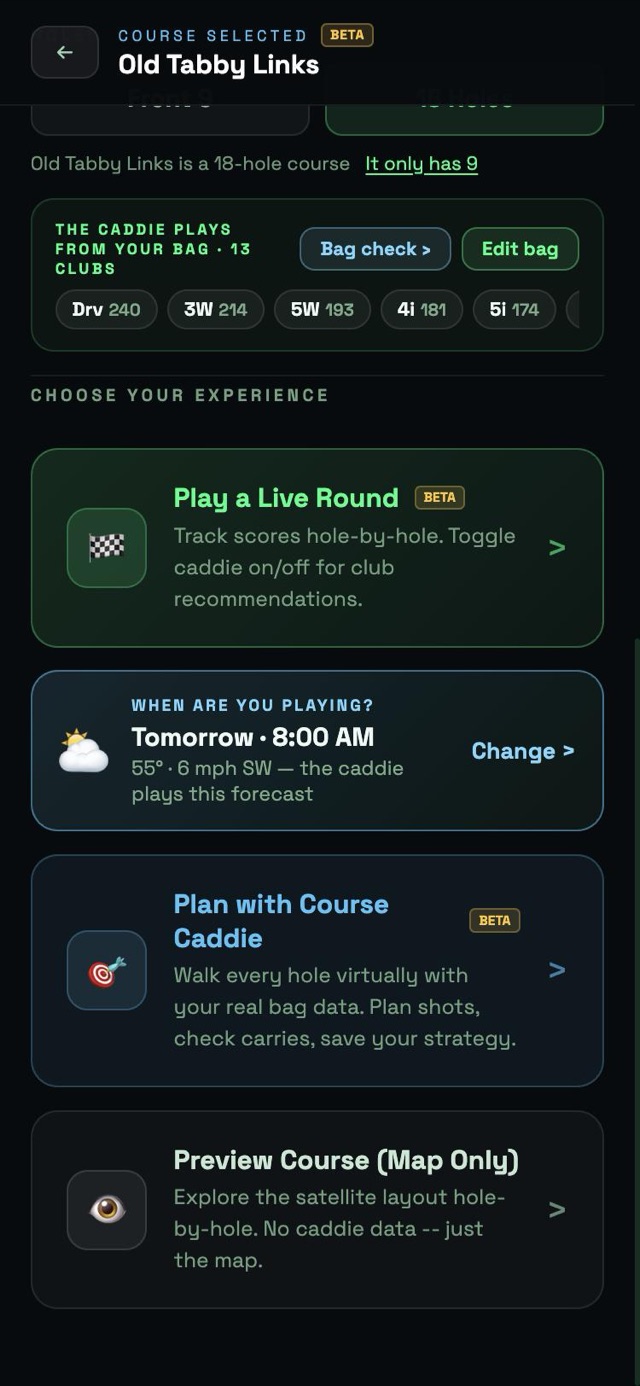
- Open the course in Course & Rounds.
- Tap When are you playing? It sits just above Plan with Course Caddie and Preview Course (Map Only).
- Pick a day, from Tomorrow to five days out, then a tee time. Tee times run every 20 minutes from 5 AM to 7 PM, on the course's own clock.
- Tap Plan for 8:00 AM (your time), then open the plan or the preview.
Already in Plan Mode or the map-only Preview? Tap the centre of the toolbar along the bottom. It shows the mode and the tee time you're planning for, like Tomorrow 8:00 AM · 55°. Pick Now to go back to the conditions at the course right now.
ShotIQ remembers your tee time for that course until it has passed.
What you see
- At the tee: the sky, temperature, wind speed and direction, gusts when they're stronger than the wind, and the chance of rain.
- The round in one line: the one thing about the weather that changes how you'll play. Wind builds from 6 to 13 mph on the back nine, Rain likely around the 14th, 70% chance, or Calm, 64–71°, good scoring weather.
- Notes: cool or warm air and what it does to your carry, a wind that swings round during the round, and how many holes you'll play into the wind, downwind and across.
- Wind, hole by hole: every hole's forecast wind, turned to that hole. An arrow pointing up is helping, down is into you, sideways is across, and each hole is coloured to match.
- Your round's timing: when you're off the 1st and when you'll be in, at about 15 minutes a hole.
How the caddie uses it
Each hole gets the forecast for when you'll be playing it. The 1st uses your tee time, the 10th about 2¼ hours later and the 18th about 4¼ hours later. That forecast goes into everything that reads the weather:
- the yards a shot plays, with the wind and temperature applied
- the club the caddie picks, and the shot plan for the hole
- the wind chip on the map. It reads FCST while you're planning on a forecast, with HEAD or TAIL for this hole.
- Safe or Aggressive, and the hole simulator
Move to the 14th and the caddie is planning the 14th in the 14th's weather.
Where the forecast comes from
The forecast comes from OpenWeather. It covers the next five days in three-hour steps, and ShotIQ blends between them to the exact minute. The wind direction is blended along the compass, so a wind moving from north-west to north-east passes through north. Forecasts change, so check again the night before; it updates every half hour.
It works in Plan with Course Caddie and Preview Course (Map Only). A live round always uses the weather where you're standing.
Free or Pro?
Free. Planning with the forecast is part of planning a round, and every golfer can use it.